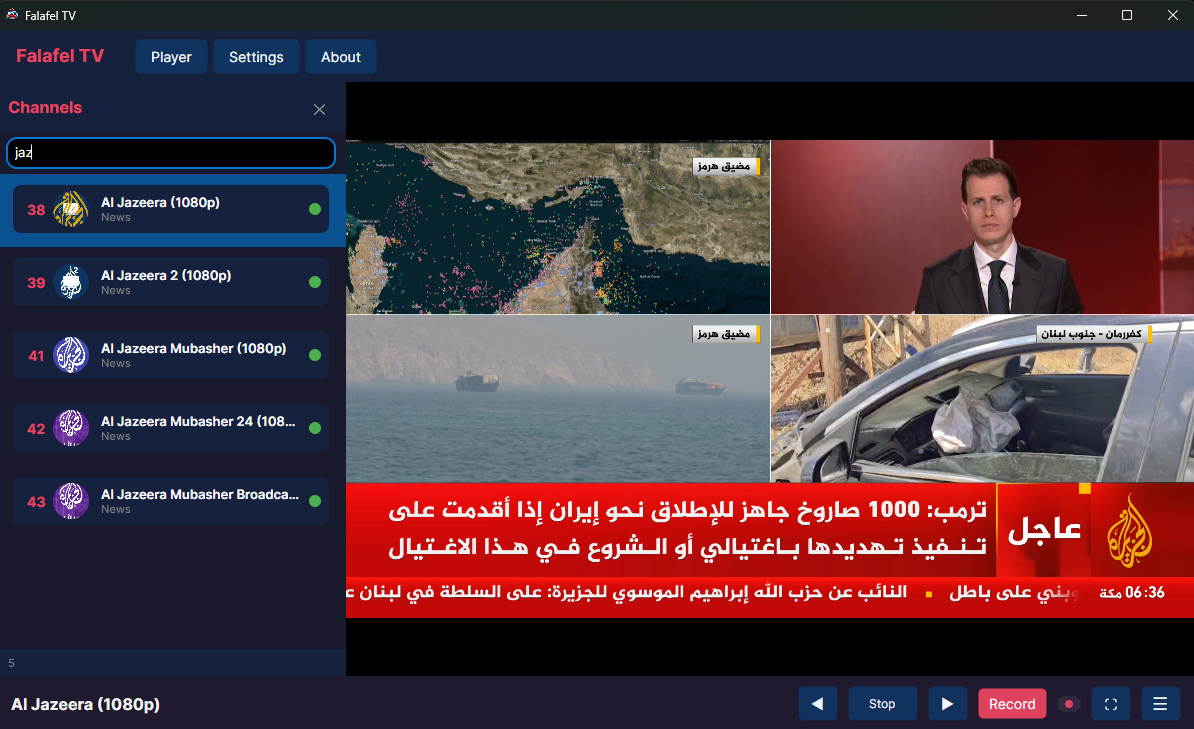

Today I want to introduce Falafel TV, a new application I developed for watching and recording IPTV streams in a simple and practical way.
The idea behind Falafel TV was straightforward: create a lightweight IPTV application that makes managing channels, watching live streams, and recording content easier without unnecessary complexity.
The application provides a clean desktop interface where users can import their IPTV playlists, browse channels, start watching instantly, and record live content when needed.
A clean IPTV experience
When opening Falafel TV, users are welcomed with a simple player screen. If no channel is selected, the application displays a clear message asking the user to select a channel before starting playback.
The main player area is designed to keep the focus on the video content. The bottom control bar provides quick access to essential actions:
- Play and stop controls
- Channel navigation
- Recording button
- Full-screen mode
- Additional menu options
The goal was to keep the controls familiar and easy to use, similar to a traditional TV experience.
Playlist management made simple
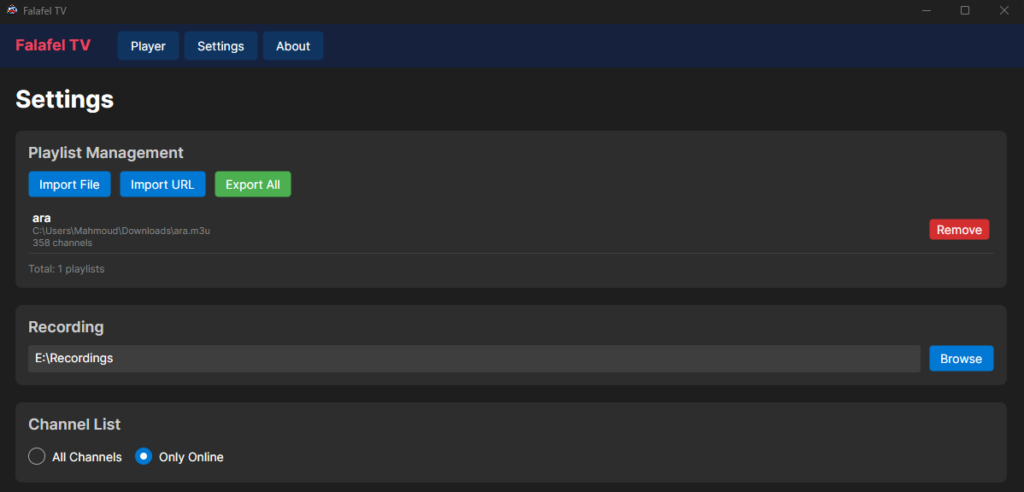
Falafel TV includes a dedicated Settings section for managing IPTV playlists.
Users can:
- Import playlists from a local file
- Import playlists using a URL
- Export playlists
- Remove existing playlists
The screenshot shows an imported playlist with thousands of available channels, demonstrating that the application is designed to handle large IPTV channel lists efficiently.
Instead of manually entering channels, users can simply load their existing M3U playlists and start browsing.
Channel browsing and search
One of the important parts of any IPTV application is finding channels quickly.
Falafel TV includes a channel panel with search functionality. Users can type a channel name and instantly filter results.
For example, searching for “jaz” displays multiple Al Jazeera channels, including:
- Al Jazeera (1080p)
- Al Jazeera 2 (1080p)
- Al Jazeera Mubasher (1080p)
- Al Jazeera Mubasher 24
- Al Jazeera Mubasher Broadcast
Each channel entry shows useful information such as the channel number, name, category, and online status indicator.
This makes navigating large IPTV playlists much easier.
Channel health checking
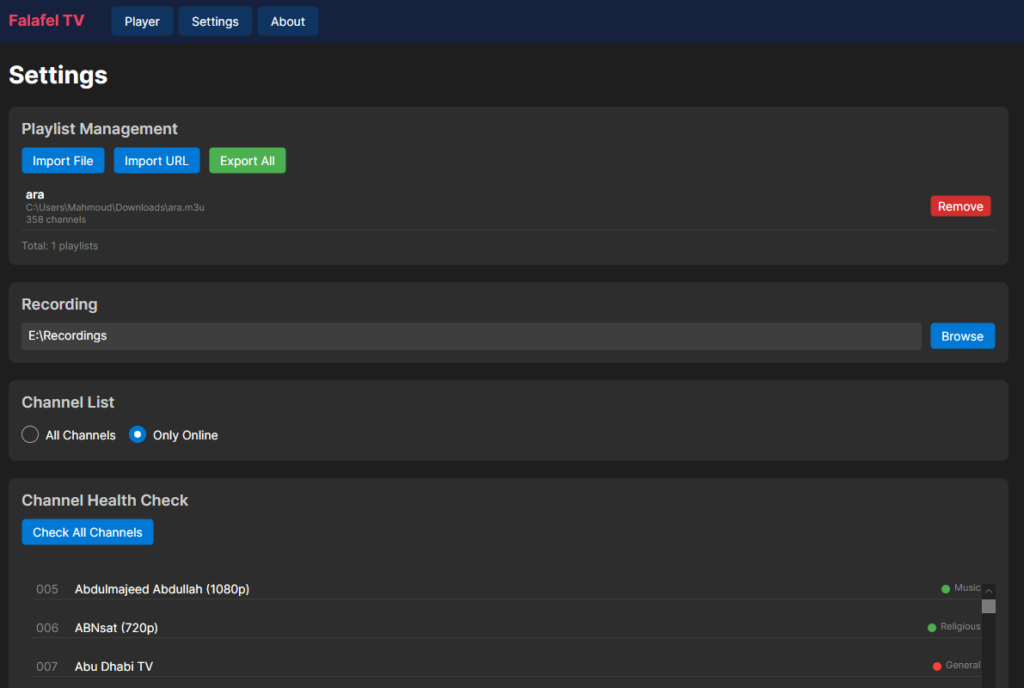
Large IPTV playlists often contain channels that are offline or unavailable. To help with this problem, Falafel TV includes a Channel Health Check feature.
Users can scan channels and quickly identify their availability status. The channel list displays online indicators, helping users know which streams are currently working.
This feature is especially useful for playlists containing hundreds or thousands of channels.
Live recording support
Falafel TV is not only a player; it also works as a recorder.
Users can choose a recording location from the settings and save live IPTV streams for later viewing. The dedicated recording button is always available from the player controls, making it easy to start capturing a stream while watching.
Whether it is a live event, a news program, or any other IPTV content, recording can be started with a single click.
Built with simplicity in mind
While developing Falafel TV, the main focus was usability. IPTV applications can often become complicated with too many options and confusing interfaces. This project focuses on the features most users actually need:
- Load your playlist
- Find your channel
- Watch live TV
- Record content when required
The result is a practical IPTV desktop application with a modern dark interface and a workflow that feels natural.
Falafel TV is still an evolving project, and future updates will continue improving the experience with more features and refinements.
For anyone looking for a straightforward way to manage IPTV streams on their computer, Falafel TV provides a simple solution that combines live playback, playlist management, channel searching, health checking, and recording in one application.